
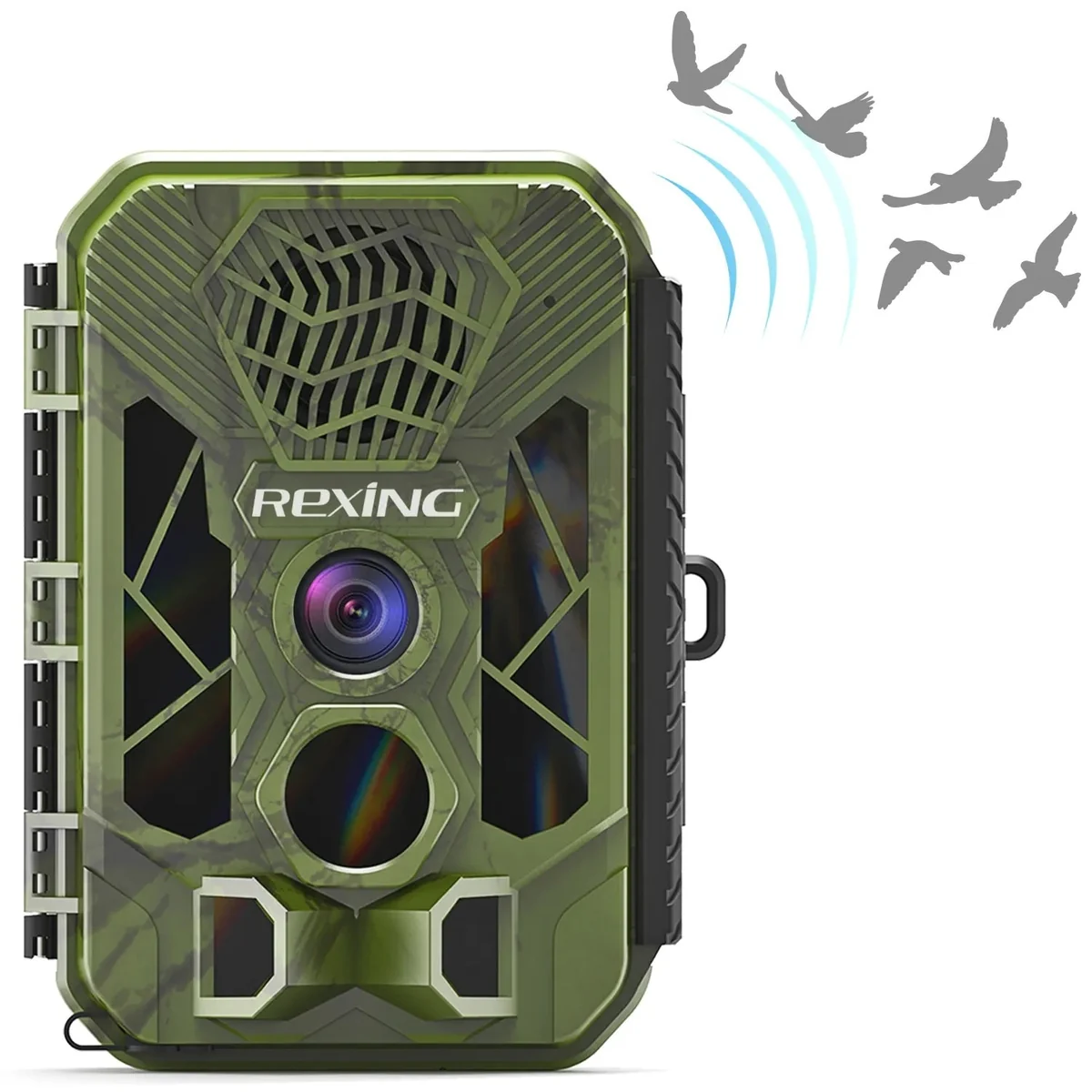
Documented camera and caller features
| Feature | Documented information |
|---|---|
| Advertised recording | Up to 2.7K video and 20MP photos |
| Caller | Scheduled MP3 sound playback; selectable volume |
| Power in the manual | Twelve 1.5V AA alkaline cells |
| External input in the manual | 6V DC, at least 1.5A; powers the camera rather than charging AA cells |
| Storage | microSD up to 512GB |
| Package listing | A 32GB card is listed; verify the selected offer |
The H3 listing and manual disagree on the maximum sound-distance claim, and display-size descriptions also vary between Rexing pages. We therefore make no range promise and suggest confirming the supplied revision. The 2.7K and megapixel figures describe available output settings, not independently measured scene detail.
Decide between passive and attracted observations
Passive monitoring asks what happens while the camera waits at a location. Active calling asks how animals respond when an additional signal is introduced. Both may be interesting, but the results should not be mixed without a note. If you use the caller, record when it runs so that an increase in visits is not casually presented as normal activity at the site.
For a backyard observation project, you may want to learn which visitors appear during a scheduled sound session. For a trail-use project, you may prefer leaving playback off. The distinction is about the quality of your interpretation, not just whether more photographs appear. Check current rules for the location, species and intended use before activating electronic calls, and obtain any required property permission.
Treat playback as a separate setup task
The manual provides scheduled playback and custom MP3 options. Start by learning the controls while the camera is beside you rather than leaving an unfamiliar schedule running at an unattended property. Confirm the date, clock and sound settings, then check that playback occurs only when you intend it to. Avoid interpreting an audible test at your feet as proof of an effective attraction distance in woodland.
Use the least intrusive setting that meets the observation purpose and consider neighboring people and animals. A large reach claim is not a reason to maximize volume. If the aim is to compare periods with and without playback, maintain a written schedule and avoid changing the camera angle at the same time. That will make your own notes more useful.
Build the camera baseline before adding sound
First confirm that ordinary motion recording works at the chosen tree. Walk through the capture area, inspect the original files and repeat the test after dark. Only then add a caller schedule. This order makes a missing clip easier to diagnose because you have already checked the framing and recording setup.
Choose clip length around the behavior you want to see. A brief crossing may need only a short record, while an observation of approach and response may require a longer sequence. These are deployment choices rather than measured H3 performance recommendations. Read our placement guide for a practical starting test and our camera basics guide for the distinction between detection and capture.
Account for power, cards and servicing
The H3's twelve-cell battery requirement matters when budgeting several installations. Sound playback is another operation to consider alongside image capture and nighttime illumination. We have no measured H3 consumption data, so we cannot convert the manufacturer standby statement into a useful interval for a caller-equipped deployment. Inspect the first installation early and adjust the service plan from your own records.
The model-specific manual describes external power as a supply function, not an AA charging function. Follow it rather than assuming that connecting a solar accessory recharges the installed batteries. For storage, confirm the exact card specification and any included card at checkout. Save a few known-good files and test playback before leaving the camera.
Who should consider the H3?
Consider it if you have a deliberate use for scheduled audio and can manage the extra setup responsibly. The combination is less compelling if the caller will remain unused. In that case, compare simpler local recorders on the quality of files and service arrangement you need, rather than choosing extra features for their own sake.
The documentation supports a camera-plus-playback workflow, but it does not establish greater scouting success, a dependable attraction radius or superiority over the H2 or H6. Buy around the intended project, confirm the hardware and accessories, and keep any conclusions from your own observations appropriately narrow.
Straight answers
Frequently asked questions
Is the H3 a cellular camera?
The reviewed H3 documentation describes local microSD recording and an electronic caller, not cellular image delivery.
Can it operate without playing animal calls?
The manual provides an on/off setting for MP3 playback. Confirm the current unit settings and leave playback off when passive monitoring is your goal.
Does external power charge its AA batteries?
The H3 manual says its external adapter supplies power and does not provide a charging function.
Is the advertised caller distance proven?
No. Manufacturer sources use conflicting maximum-distance figures, and this review does not contain independent sound or animal-response measurements.
Sources & verification
Sources checked October 29, 2026. Product revisions, service terms and seller offers can change. Source observations are not our own test results.
How we research reviewsMore from the journal