

The useful difference is how you retrieve the pictures
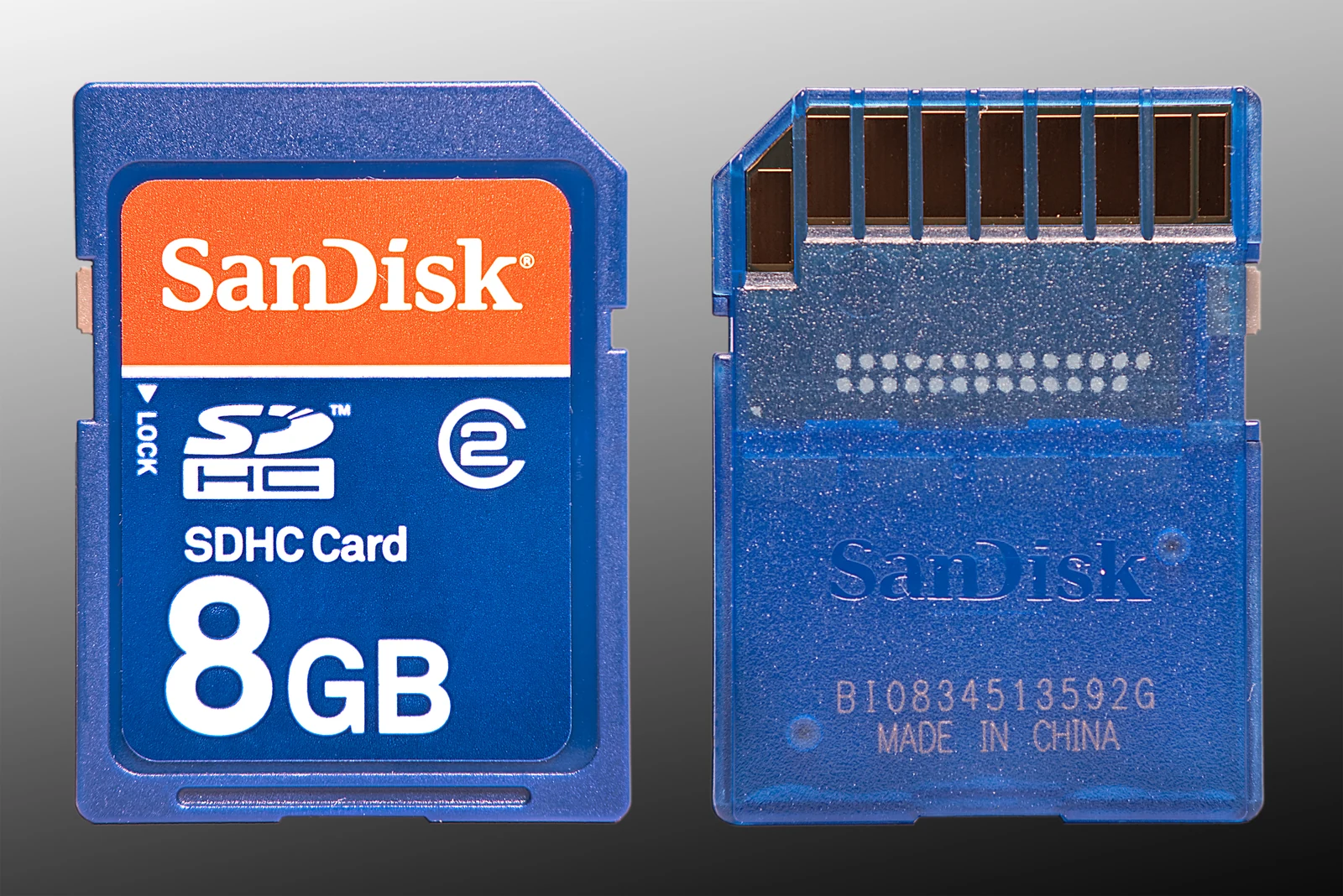
A conventional trail camera lets you collect files from local storage, usually a removable SD card. A cellular trail camera adds remote delivery through a mobile network and the manufacturer's service. Both still depend on good detection, useful image quality, sound placement and dependable power.
Choose between them by asking how often you can reach the property, whether the camera can connect at its location and what you need to see remotely. Buying cellular capability cannot repair weak nighttime images or an unsuitable mount. Paying for a premium conventional camera cannot make its photos appear on your phone from miles away.
Compare the whole ownership experience
| Question | Conventional SD camera | Cellular camera |
|---|---|---|
| How are files retrieved? | Visit the camera or card | App or web service, with model-specific local storage |
| Does the site need cellular service? | No | Yes, for remote transmission |
| Is there a transmission plan? | No cellular plan needed | Plan or included allowance depends on the service |
| Can every full-size file be viewed remotely? | Local originals are retrieved directly | Check HD photo, video and retrieval limits |
| What needs maintenance? | Power, housing, storage and placement | Those items plus connectivity and account settings |
A non-cellular camera is a strong fit when visits are easy and you value a straightforward local archive. Cellular makes more sense when a remote image materially changes how you manage the site. Neither approach removes the need for occasional physical service.
Test reception at the actual installation
Coverage is a location requirement. A camera that works beside your truck may fail farther down a hollow. Check supported networks and the correct country version, then send a field test from the installed position. Multi-network capability broadens options but cannot create service where no supported signal is usable.
Your phone carrier need not be the camera's carrier. SPYPOINT explains that pictures pass through its servers and account system rather than being sent directly from the camera to your handset. Your phone needs a suitable internet connection to access the app; the camera needs its own supported field connection.
For use in the United States and Canada, verify regional compatibility before purchase. Do not infer that a U.S. bundle, SIM or plan supports a Canadian deployment. Ask the manufacturer about the exact SKU, country of operation and available service.
Check what gets stored, sent and retained
The preview you see first may differ from the original file. Check full-resolution retrieval, video delivery, sound and the number of requests included in the plan. If the reason for buying the camera is detailed nighttime identification, make sure those details are available through the workflow you will actually use.
Local storage also varies. Some cellular models use removable cards, while Moultrie's support identifies EDGE-era cellular models as using internal memory. That difference affects direct file retrieval, replacement and troubleshooting. A cardless design is not automatically better or worse; it simply requires a different recovery plan.
Ask what happens when service disappears, the allowance is exhausted or storage fills. Moultrie documents continued local capture after a data allowance is used, but this is not a blanket promise for all brands. Check each manufacturer's behavior and whether older files can be overwritten before you request them.
Calculate seasonal cost without guessing
Use a total-cost estimate instead of comparing camera prices alone. Add approved batteries or a compatible external power system, mounting hardware, storage, the transmission plan and any additional HD or video charges. Then consider the travel required to maintain the camera.
For an arithmetic example, a hypothetical $10 monthly plan used for six months costs $60 per camera. Four cameras would cost $240 for those six months before equipment or power. Those figures illustrate multiplication, not a quoted current tariff. Use actual local prices and taxes when making your decision.
Check subscription terms for annual commitments, seasonal suspension, multi-camera pricing and cancellation. An inexpensive camera can become the costly option if its ongoing service does not match how long you deploy it.
A mixed system is often the practical answer
You do not have to choose one technology for the whole property. Place a cellular unit where timely information is valuable and supported service is dependable. Use conventional cameras where visits are simple or network service is absent.
Build an access plan for both. Track camera names, battery changes and storage checks in one log. For a remote deployment, prioritize the workflow you can sustain rather than the largest feature list. A camera producing useful, retrievable records earns its place through consistent operation.
Straight answers
Frequently asked questions
Do cellular trail cameras need Wi-Fi?
Cellular trail cameras normally use a supported mobile network at the camera location for remote transmission. Wi-Fi is a different connection method, sometimes used for nearby setup or file retrieval on other cameras. Your phone may use home Wi-Fi to access the app even while the camera itself is miles away on cellular service.
Does my cell camera have to use my phone carrier?
Usually the camera service is separate from your personal phone plan. SPYPOINT explicitly describes an account and server workflow in which the camera carrier can differ from your handset carrier. Choose the supported camera network that works at the deployment location, and verify the exact model and regional service before buying.
Are cellular trail cameras worth the monthly cost?
They can be worthwhile when remote images save meaningful travel or provide information you need between visits. Compare the complete seasonal cost against that benefit. If the property is easy to reach and immediate access adds little value, a conventional SD camera may be the more economical fit. Dependable field reception is essential.
Can I put a U.S. cellular trail camera in Canada?
Do not assume a camera or plan is interchangeable across the border. Confirm the exact product version, supported networks, account region and service availability with the manufacturer. A familiar model name may cover different regional SKUs. Obtain an answer for your intended Canadian location before paying for a U.S. bundle.
Do all cellular trail cameras use an SD card?
No. Some save originals to removable SD or microSD cards, while others use internal memory. Moultrie identifies newer EDGE-era cellular models as using internal storage. Check whether you can retrieve files directly, how memory is managed and what happens to originals that have not yet been downloaded.
Will a cellular camera keep taking pictures when its data runs out?
This behavior is manufacturer- and model-dependent. Moultrie documents continued capture to local storage after its allowance is exhausted, followed by later uploads when data becomes available. Do not apply that policy to every camera. Verify storage capacity, overwrite settings and whether queued images can exhaust the next allowance.
Sources & verification
Sources checked October 24, 2026. Product revisions, service terms and seller offers can change. Source observations are not our own test results.
- SPYPOINT: What Is Cellular Transmission?
- SPYPOINT: Cellular network connection
- Moultrie: SD Card Best Practices
- Moultrie: High-Resolution Pictures
- Moultrie: Data Maxed Out
More from the journal