
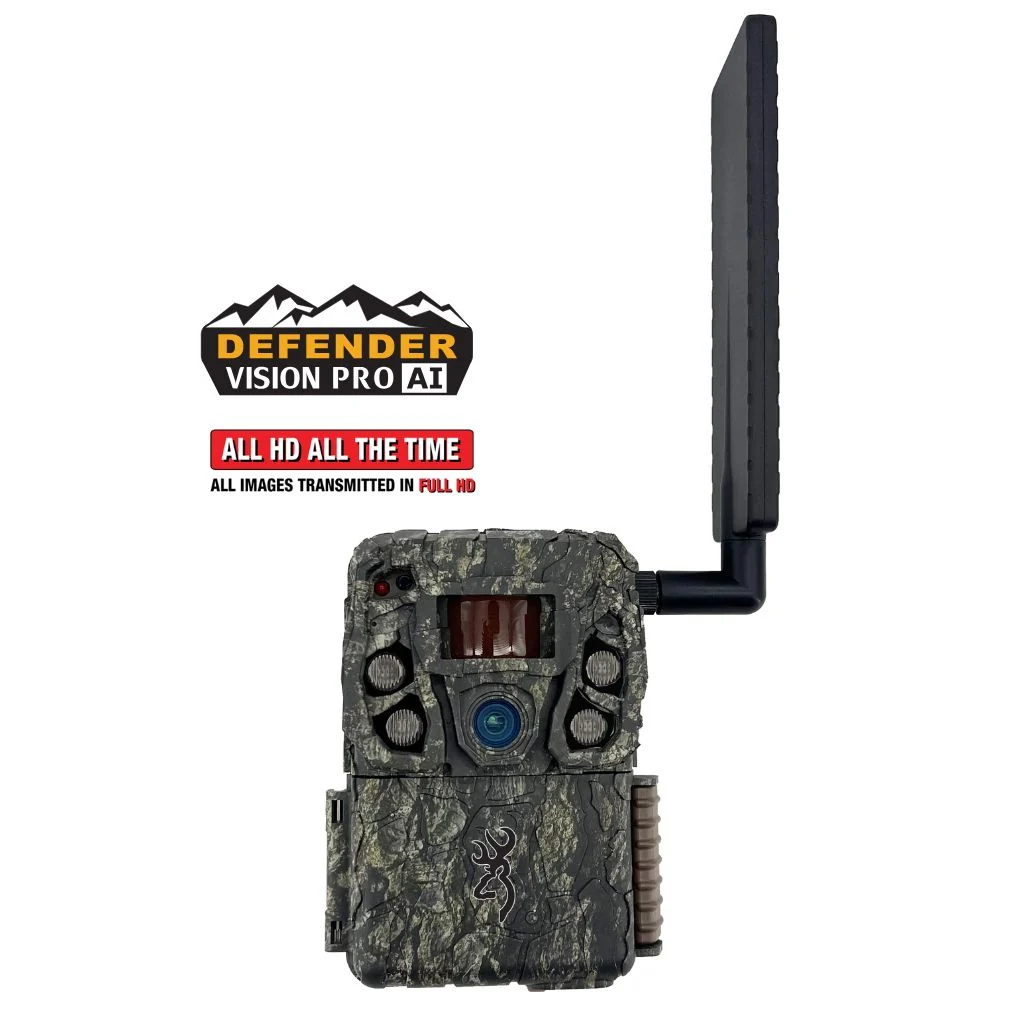
What the exact model documents
| Item | Documentation |
|---|---|
| Identity | BTC-VPHD-AI / retailer VPHDAI |
| Advertised capture | 46MP photos and 1920 × 1080 video with sound |
| Connection | AT&T and Verizon SIMs; automatic carrier selection |
| Storage and power | SDXC up to 512GB; eight AA cells or approved 12V external source |
| App workflow | Strike Force Wireless; on-demand and scheduled uploads |
| Flash caution | Product copy says invisible IR; official chart calls it standard infrared |
Sources: product page, exact-model support and manufacturer comparison chart. These document features and advertised limits, not our test results. The retailer also gives a different detection-distance figure; use exact-model support rather than merging the claims.
Evaluate the delivery workflow before buying several
A useful cellular setup begins with a test from the actual mounting point. Activate one camera while it is easy to revisit. Verify that a newly captured file reaches the app, that timestamps make sense and that you can distinguish a failed transmission from a missing recording.
Test a complete decision cycle: receive a notification, inspect the subject, locate the camera on your property record and find the original file when necessary. That tells you more about day-to-day fit than browsing a list of app functions.
For several cameras, make the naming convention clear from the start. A location-based name, service log and planned inspection route can prevent a convenient remote system from becoming an untidy collection of unidentified notifications.
AI sorting is a tool to check, not an accuracy guarantee
Automated classification should be evaluated against the images your site produces. Build a small folder of examples that matter to you, including partial animals, night images and vegetation triggers. Compare the automated categories with your own inspection before depending on a filter for a consequential scouting decision.
Ask what happens to images outside the selected category. Can you still inspect them? Are the settings understandable? A time-saving process should also let you investigate a mistake. We do not provide a measured recognition score because we have not run that test.
Keep the distinction between a feature and a conclusion. The presence of AI does not establish better optics, fewer missed animals or a more useful night image. Those outcomes require separate evidence.
Resolve illumination and regional questions explicitly
The flash-description conflict matters if concealment is a buying priority. Ask Browning to confirm the illumination type for the exact product code and hardware in the seller's stock. Treat the answer as part of your purchase record. We cannot honestly label this unit definitively no-glow from the conflicting documents alone.
The listed carriers describe a US-oriented service arrangement. For a Canadian installation, obtain explicit hardware and activation confirmation from Browning before ordering. A retailer accepting an international address does not demonstrate that the camera can register on a network at the destination.
Even a supported regional unit still needs signal at the tree. Test transmission with the final antenna position and power arrangement. A successful activation near a house is not proof of reliable delivery from a wooded hollow.
Budget for operation and keep local evidence
Check the current Browning service information for the plan and any options you intend to use. Calculate the season as hardware, storage, power, service and maintenance visits. Avoid treating a discounted camera as a complete operating cost.
Record the chosen plan and renewal terms before deployment. Inspect the app's status information during an early trial, and compare it with a physical check. Keep a simple record of battery changes, transmission problems and settings rather than drawing a reliability verdict from one unexplained outage.
Use only the approved external-power arrangement for the exact camera. A compatible voltage label, plug and power source must all agree. A larger pack does not repair a weak cellular signal or an unsuitable capture angle.
The buying decision
Choose this model when remote file management and the documented sorting tools solve a repeated task. First confirm the flash type, regional service and operating arrangement. Compare the existing Moultrie EDGE 4 review if avoiding removable cards is more important, or a local SD model if timely transmission changes little for you.
Buy one, learn its behavior during the return period and expand only after the workflow earns its place. That is a practical evaluation plan, not a prediction of the camera's long-term performance.
Straight answers
Frequently asked questions
Is BTC-VPHD-AI the same as Browning's LIVESTREAM camera?
No. It is a separate product code. Do not transfer features from the LIVESTREAM model based on similar naming.
Is this camera definitely no-glow?
The official product description and comparison chart conflict on illumination terminology. Confirm the exact unit with Browning before buying for a no-glow requirement.
Can I use it in Canada?
The researched documentation lists US carriers. Canadian hardware and service compatibility must be confirmed separately before purchase.
Does AI recognition prove better scouting results?
It is a sorting feature. Its usefulness depends on the actual images, settings and your review process; we have not measured classification accuracy.
Sources & verification
Sources checked October 29, 2026. Product revisions, service terms and seller offers can change. Source observations are not our own test results.
- Browning BTC-VPHD-AI product page
- Browning exact-model support
- Browning official comparison chart
- Browning cellular service information
- Ammunition Depot VPHDAI listing
More from the journal